
API Credentials
From the version of 5.0 of FedEx Live Rates PRO it is possible to connect with Freight API. In order to do that you have to go to: WooCommerce > Shipping > FedEx Freight LTL.
Please bear in mind that Freight feature is only available in the PRO verson of the plugin. LTL service is available within the US and to Canada and Mexico.
Firstly, you need to insert your Freight credentials created for the Freight application in the FedEx Developer Portal:
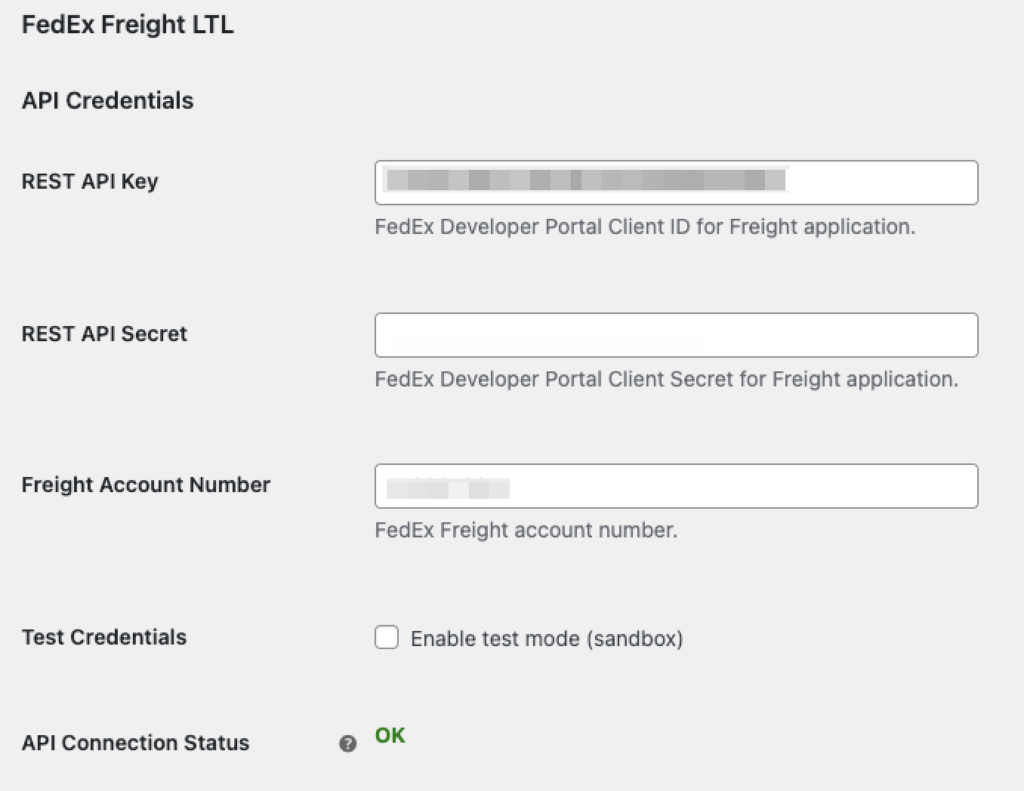
For more details, you can find them in FedEx documentation.
After successfully inserted credentials, you should see OK indicator in the connection status.
Test Credentials – If you own test credentials, you can use them for the Freight LTL services.
Other settings
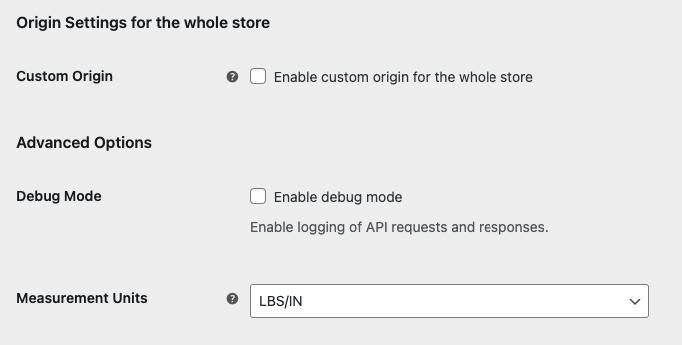
Custom Origin – you can enable custom origin for the whole store.
Debug Mode – you can enable debug mode in order to analyze request and responses from the FedEx API
Measurement Units – you can choose units appropriately to the settings in the FedEx account.