
Table of Contents
All the prices in the cart and checkout are displayed in the shop’s default currency defined at WooCommerce → Settings → General → Currency Options. The live rates returned from the Royal Mail pricing list rates are converted to the currency of the checkout. You can change the currency the Royal Mail live rates are displayed in using one of the following currency switchers we’ve tested and confirmed the compatibility with:
- Aelia Currency Switcher
- FOX – Currency Switcher Professional for WooCommerce (WOOCS)
- Currency Switcher for WooCommerce by WP Wham
- CURCY – Multi Currency for WooCommerce by VillaTheme
- WooCommerce Multilingual (a part of WPML package)
How to use Royal Mail with WPML plugin?
You will need to have WPML WooCommerce Multilingual enabled in order to successfully follow these steps.
- Install the Royal Mail plugin for WooCommerce – Live Rates PRO plugin.
- Go to the WooCommerce settings:
wp-admin/admin.php?page=wc-settingsand change the store address to e.g. United Kingdom:
95 Hainault Rd, London, E11 1DX and the Currency to Pound Sterling - Choose Shipping Zones
- Add a new shipping zone, e.g. Germany
- Add a shipping method: Royal Mail
- Edit Royail Mail shipping method:
- Choose Access Points as:
All services and access points - Save changes
- Choose Access Points as:
- Go to the WPML Currency Switcher settings:
wp-admin/admin.php?page=wpml-wcml&tab=multi-currencyand the currency: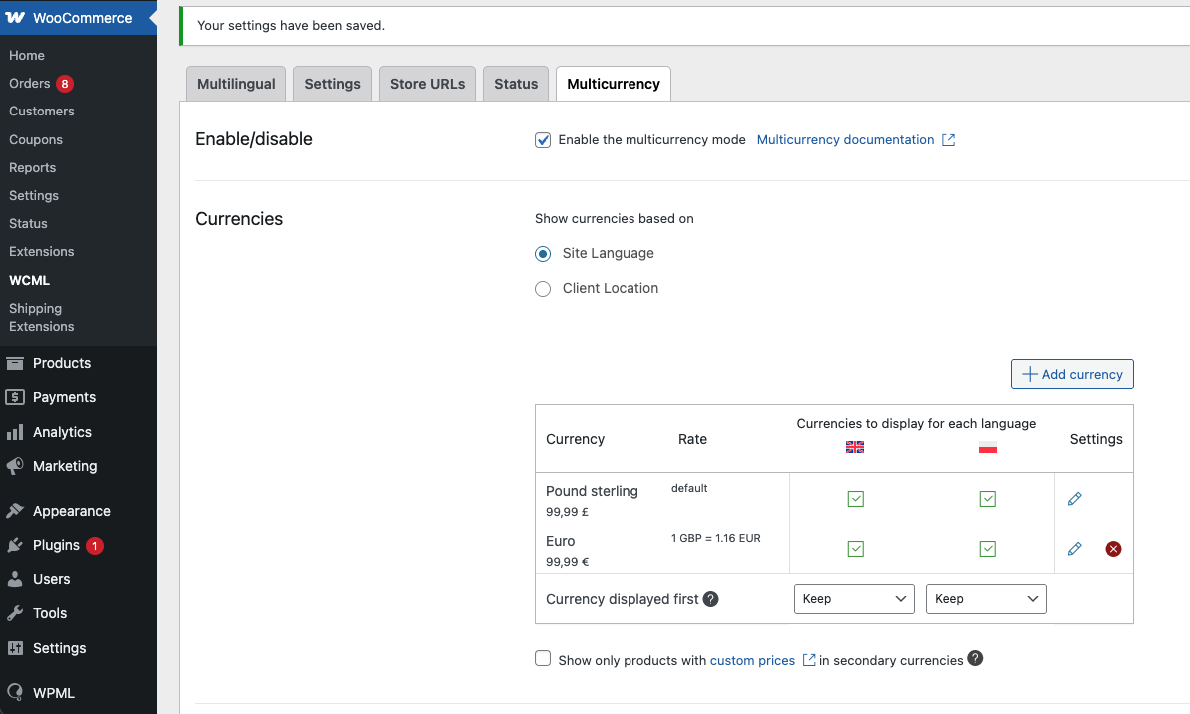
- Pound Sterling as the main currency,
- Euro as an additional currency
- 1 Pound Sterling = 1,16 Euro
- Go to the Shop and add a Product with the added weight to the Cart (e.g. 1 kg)
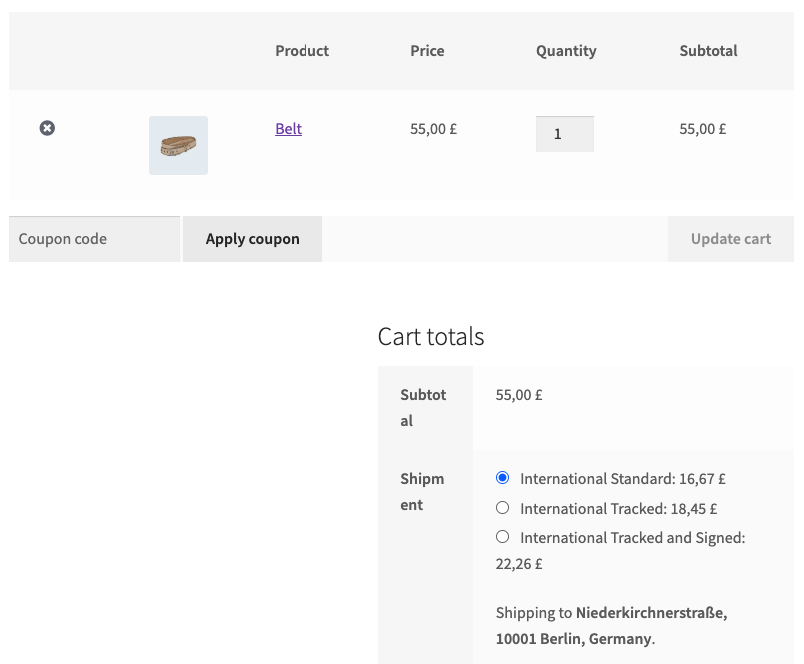
- Go to the Cart and add the German address, you will see:
- the live rates for the Pound Sterling:
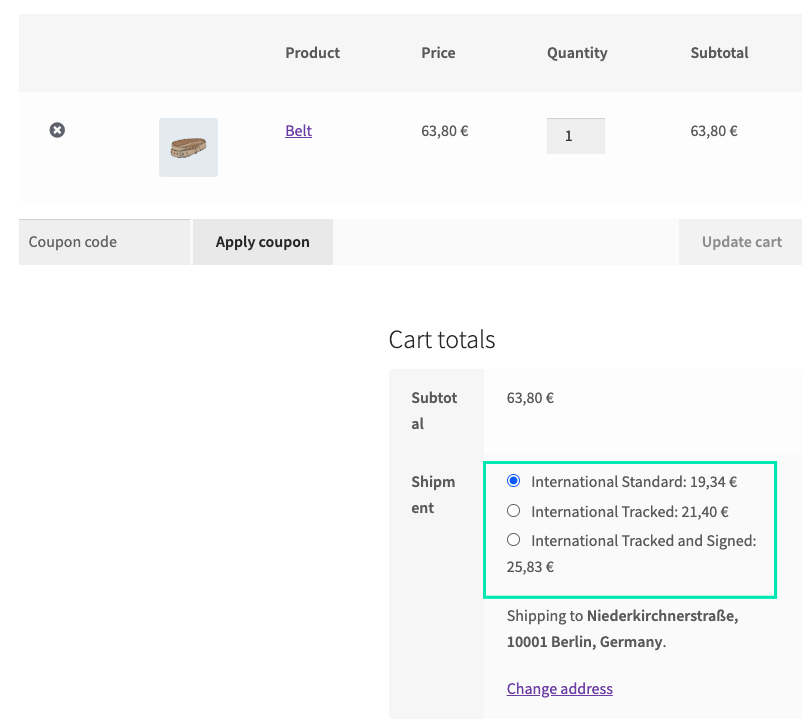
- change the currency to Euro. The currency is properly calculated from Pound Sterling to Euro:
- the live rates for the Pound Sterling: