
- Home
- WooCommerce
- What plugin are you looking for?
- Shopify
- Find my product
- About us
- Blog
- Docs
- Contact us
- What can we help you with?

Public holidays, warehouse closures and delivery exceptions should not turn into a last-minute checkout task. Holiday Calendars in Octolize Delivery Date Picker give you one clear place to manage unavailable delivery dates, so customers see delivery options that match your store’s actual availability.
A calendar is a reusable group of dates. Create one for public holidays, another for a seasonal warehouse closure, and a separate one when a shipping method follows its own schedule. You can switch a calendar on or off without losing its rules or shipping-method assignments.
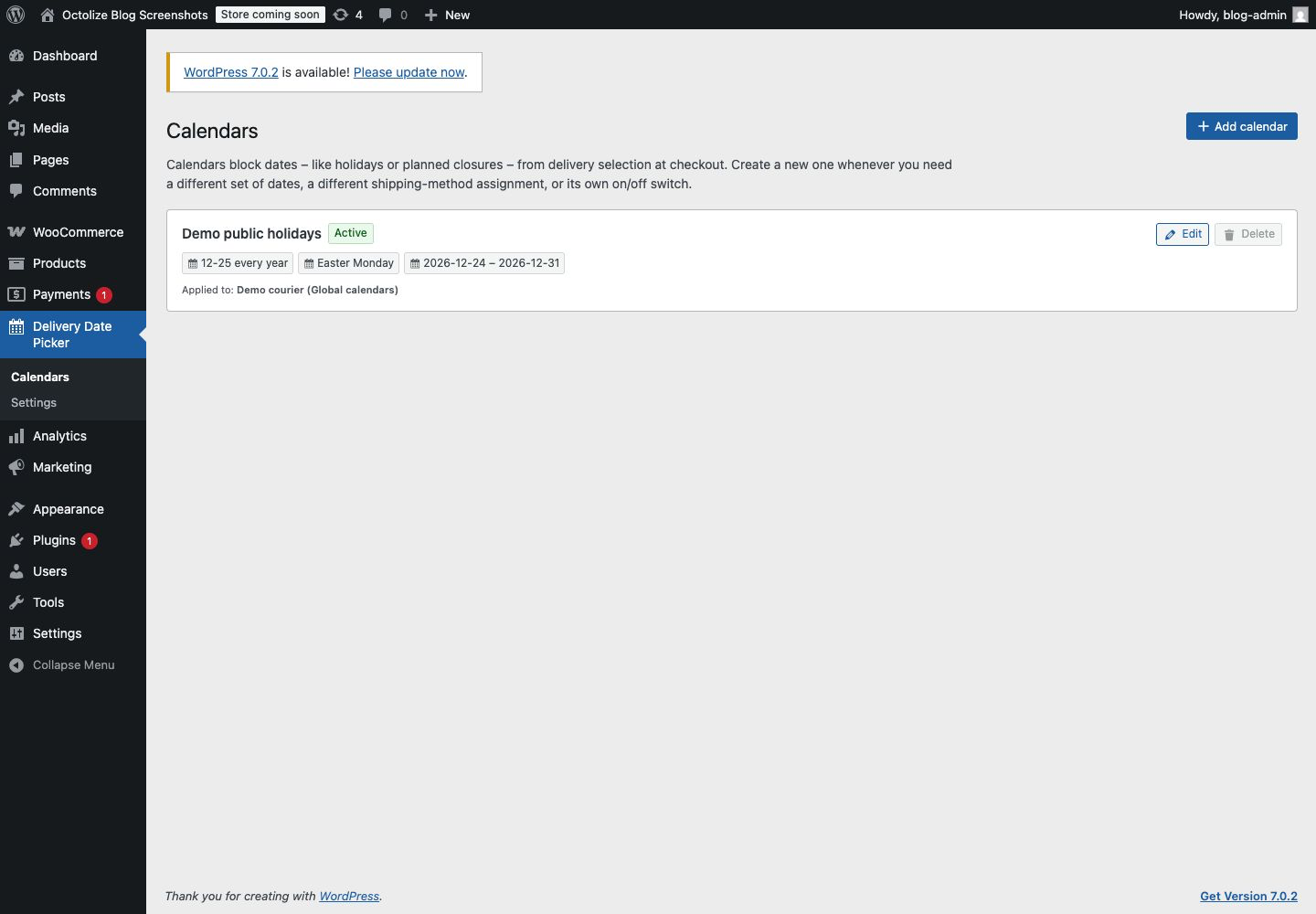
On the new Delivery Date Picker → Calendars screen, you can add, edit and review calendars in one place. The list clearly shows whether a calendar is active, which rules it contains and where it is applied. To prevent configuration mistakes, a calendar that is still assigned to a shipping method cannot be deleted.
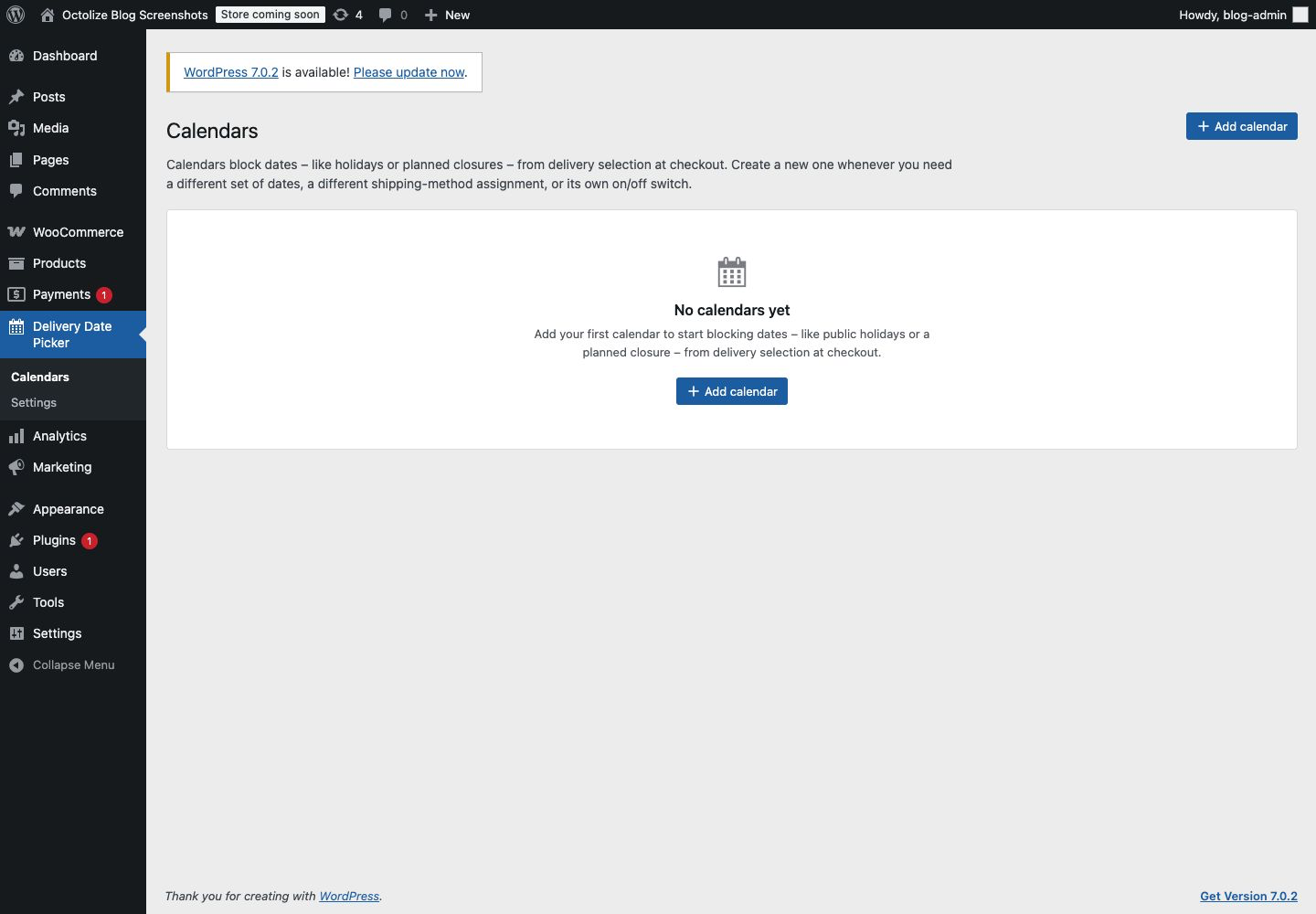
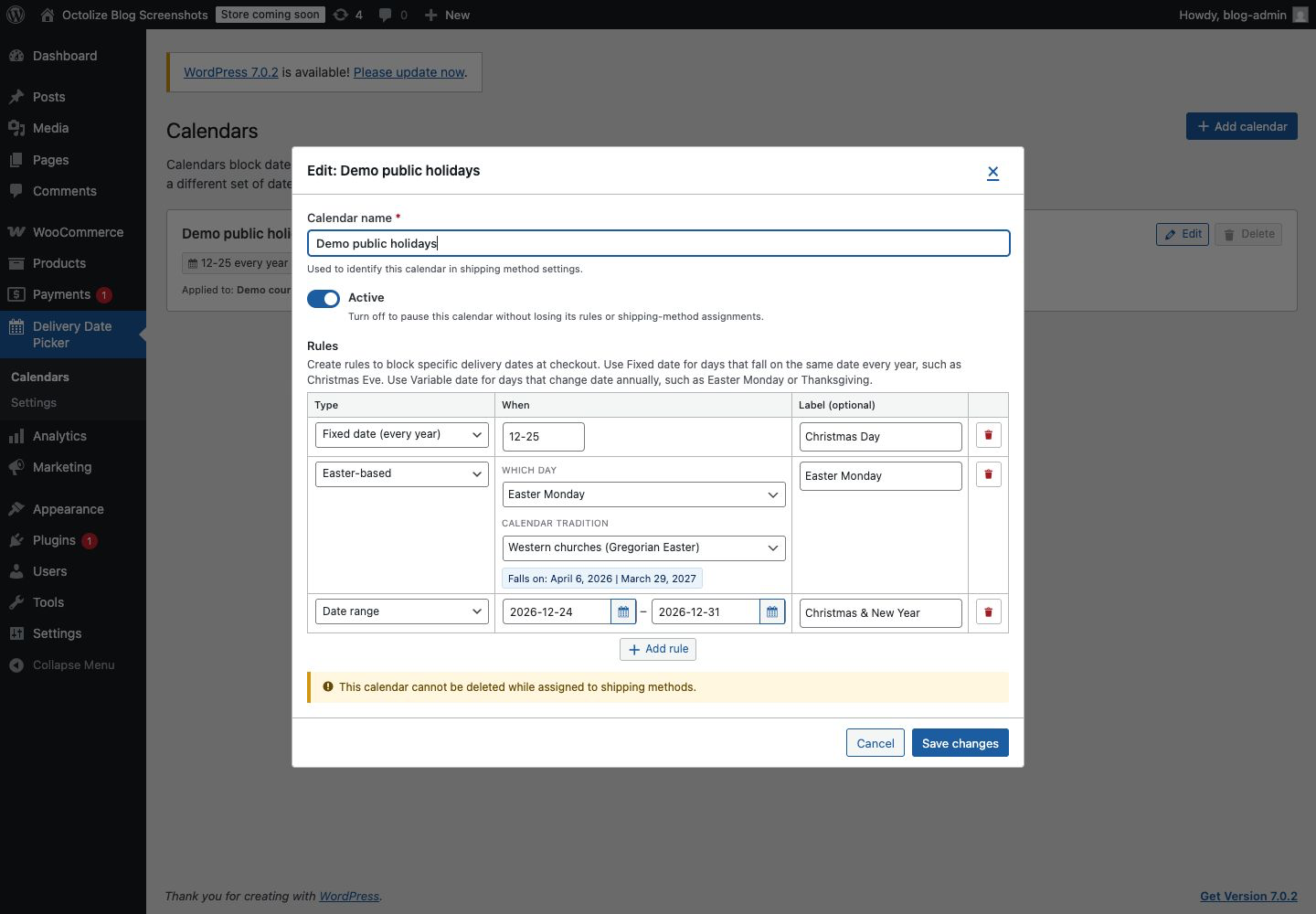
Holiday Calendars support six practical rule types, so you can set up recurring availability without rebuilding the same configuration every year:
Delivery Date Picker prepares recurring rules as real unavailable dates for checkout. Your customers do not need to interpret a holiday schedule: they simply see dates that are available to choose.
Select calendars globally in Delivery Date Picker settings when the same dates should affect all configured shipping methods. When a method needs different rules, choose custom calendars for that method. You can also opt out of holiday calendars for a method that should remain available.
This gives you precise control without duplicating your work. Keep one shared list of public holidays, then add exceptions only where a courier or shipping zone needs them. Inactive calendars remain visible in configuration, but they do not block dates until you switch them back on.
Once assigned, calendar dates are unavailable in both the classic WooCommerce checkout and the Checkout block. If shipping options change and a previously selected date is no longer available, Delivery Date Picker clears that outdated selection. The same rules are checked on the server before the order is saved, helping keep blocked dates out of completed orders.

Let your customers pick a convenient delivery date for the ordered products and make the shipping cost dependent on the chosen date.
View DetailsorAdd to cartHoliday Calendars keep delivery availability clear for your team and accurate for your customers — without manual updates every time an exception appears.

Lucyna Polok is an SEO and content specialist passionate about crafting effective strategies and creating engaging content. She has worked across a variety of industries, both in-house and as a freelancer. A strong believer in the power of storytelling, she believes that good content not only delivers business results, but also resonates with customers through an emotional connection with a brand.
At Octolize, she is responsible for aligning the content strategy with business goals and increasing visibility, trust, and authority of the brand via data-based SEO efforts. On the blog, she focuses mostly on topics for those only beginning their adventure with e-commerce, explaining scenarios and terms in an approachable way.





Learn how Octolize helped Kurzgesagt, the online shop behind one of YouTube’s most popular science channels, set up conditional courier rules using the Shopify Shipping Rates Rules & Zones app.

Learn how Octolize solutions helped WooCommerce store based in the United Kingdom set up shipping scenarios.
Learn how Octolize helped Shopify store based in the USA set up distance based rates with a usage of Octolize Distance Based Rates.
 Pickup Points