
- Home
- WooCommerce
- What plugin are you looking for?
- Shopify
- Find my product
- About us
- Blog
- Docs
- Contact us
- What can we help you with?

Running a WooCommerce store involves much more than adding products and processing orders. Store owners need to manage invoices, payments, shipping documents, order tracking, compliance, promotions, customer communication, analytics, product data, and many other daily tasks. When these activities are handled manually, they can take up a lot of time and may also lead to mistakes.
The right WooCommerce plugins can help automate essential store management tasks and streamline the overall workflow. From improving backend operations to enhancing the customer experience, plugins play an important role in keeping an online store organized, efficient, and scalable. In this article, we will look at some must-have WooCommerce plugins that can help store owners manage their eCommerce business more effectively.
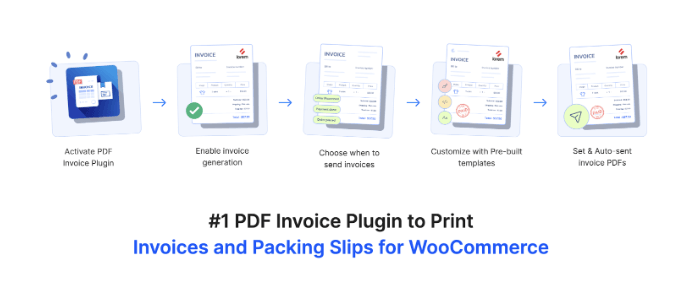
PDF invoices & Packing Slips for WooCommerce is a useful plugin for stores that want to automate the generation of invoices and order documents. It helps store owners automatically create PDF invoices, packing slips, and credit notes for WooCommerce orders. These documents can be attached to order emails, downloaded by customers, or printed from the admin side, making order documentation easier to manage. The plugin is especially useful for stores that want a professional invoicing process without manually creating documents for every order.
Another major benefit of this plugin is its flexibility for customization. Store owners can customize invoice templates, add store details, include tax information, and maintain consistent branding across order documents. For growing WooCommerce stores, this makes invoice management more organized and professional. It is a strong option for improving billing workflows, order record keeping, and customer communication. A free version of the PDF Invoices & Packing Slips plugin is also available on WordPress.org, letting stores generate and attach PDF invoices, packing slips, and delivery notes at no cost before upgrading to the pro version for advanced features like credit notes.

WooPayments is a useful plugin for managing payments directly inside a WooCommerce store. It allows store owners to accept credit cards, debit cards, and other supported payment methods while managing transactions from the WordPress dashboard. This reduces the need to switch between multiple platforms to check payments, refunds, and revenue details. For store owners who want a simple payment setup built specifically for WooCommerce, WooPayments can be a practical choice.
The plugin also helps store owners track payment activity and revenue in one place. Since payments are a core part of store management, having a reliable payment solution can improve the checkout experience and reduce operational complexity. It is especially useful for small and medium WooCommerce stores that want a direct payment management system without adding too many external tools.
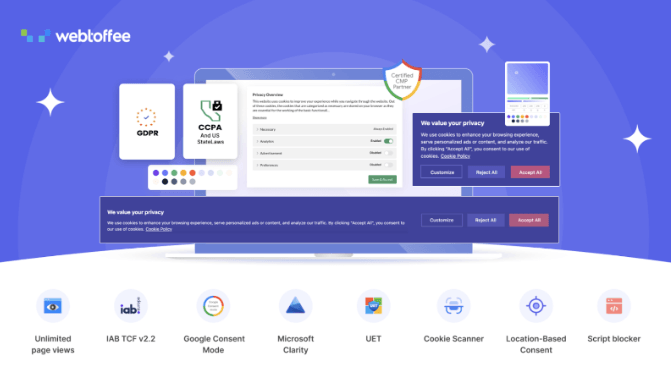
The GDPR cookie consent plugin helps WooCommerce stores manage cookie consent and comply with privacy requirements. It allows store owners to display cookie consent banners, collect user consent, and manage cookies in compliance with privacy laws such as GDPR. For WooCommerce stores that receive visitors from different regions, proper cookie consent management is important for building trust and maintaining compliance.
The plugin also supports a broad set of features that make ongoing compliance easier to manage. Its built-in cookie scanner crawls the website to detect every cookie being loaded, including third-party ones, and automatically sorts them into categories such as necessary, analytics, and marketing so the cookie list stays accurate and up to date. An automatic script blocker holds non-essential cookies and third-party scripts until the visitor gives explicit consent, and consent logging maintains an audit record that can be downloaded as proof of compliance. Store owners also get fully customizable banners, geo-targeting to display region-specific banners (for example, a GDPR banner for EU and UK visitors and a CCPA banner for US visitors), and a granular preference center that lets users control consent by category. On top of this, the plugin is a Google-certified CMP that supports Google Consent Mode v2 and IAB TCF v2.3, making it especially helpful for stores that rely on analytics, advertising, tracking, or marketing tools. Since WooCommerce stores handle customer data, a robust privacy compliance plugin like this can support both legal compliance and customer confidence.

WooCommerce Subscriptions is a useful plugin for stores that sell products or services on a recurring billing model. It allows store owners to create subscription products, manage recurring payments, offer free trials, set signup fees, and handle renewal cycles. This is helpful for businesses selling memberships, subscription boxes, digital services, online courses, maintenance plans, or repeat-purchase products.
From a store management perspective, this plugin helps create predictable recurring revenue and reduces the need to manually process repeat orders. Store owners can manage subscription plans, customer renewals, and payment schedules from WooCommerce. For stores that want to move beyond one-time purchases and build a long-term customer base, WooCommerce Subscriptions can be an important plugin.
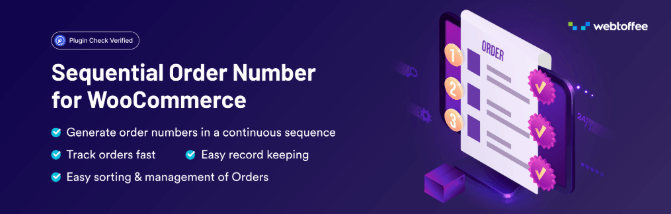
WebToffee Sequential Order Numbers for WooCommerce lets store owners replace WooCommerce’s default order numbers with clean, structured, and sequential ones. WooCommerce normally uses WordPress post IDs for orders, which can create gaps in the order sequence. This can make order tracking, accounting, reporting, and invoice management less organized for store owners.
With this plugin, store owners can create custom order number formats using prefixes, suffixes, dates, custom starting numbers, and order number lengths. This is especially useful for businesses that want a professional order numbering system for bookkeeping and internal tracking. For stores processing many orders, structured order numbers can make backend management much easier. A free version of the Sequential Order Numbers plugin is also available on WordPress.org, letting stores add a custom prefix and starting number for sequential order numbers at no cost before upgrading to the pro version for advanced features like auto-reset (daily, monthly, or yearly) and separate sequences for free orders.

Google Analytics for WooCommerce helps store owners understand customer behavior and store performance. It connects WooCommerce to Google Analytics, enabling store owners to track key eCommerce metrics, including purchases, traffic sources, conversions, and customer journeys. This is useful for understanding which products perform well and which marketing channels bring valuable customers.
For store management, analytics is important because decisions should not be based only on guesses. With this plugin, store owners can study user behavior, identify weak points in the purchase journey, and improve marketing campaigns. It is a suitable plugin for WooCommerce stores that want better reporting and performance insights.
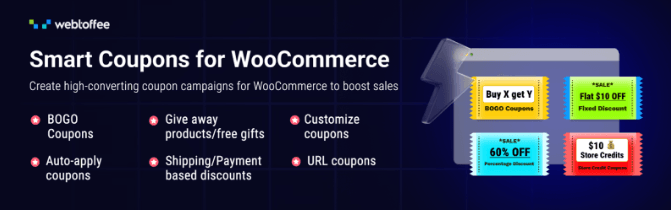
The WebToffee Smart Coupons plugin helps store owners create advanced coupon campaigns beyond the default WooCommerce coupon features. It supports various promotional strategies, including BOGO offers, store credits, auto-apply coupons, giveaways, and advanced discount rules. This is useful for stores that want to improve sales, attract new customers, and encourage repeat purchases.
The plugin also helps manage promotions more structurally. Instead of creating basic coupon codes only, store owners can build targeted discount campaigns based on customer behavior, cart value, product conditions, or marketing goals. For WooCommerce stores that rely on seasonal offers, loyalty campaigns, or sales promotions, this plugin can be a valuable tool for store management. A free version of the Smart Coupons plugin is also available on WordPress.org, letting stores set up BOGO deals, giveaway products, auto-apply coupons, and coupon restrictions at no cost before upgrading to the pro version for advanced features like advanced scheduling, bulk coupon generation, and store credits.
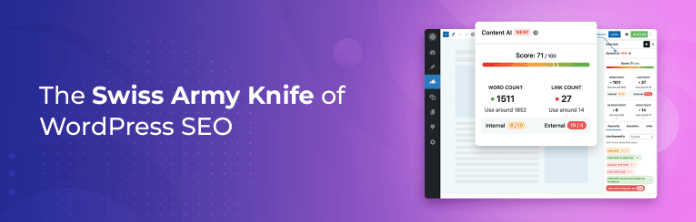
Rank Math SEO is useful for WooCommerce stores that want to improve product visibility in search engines. It helps optimize product and category pages, meta titles and descriptions, schema markup, breadcrumbs, and other important SEO elements. For store owners, this is helpful because better SEO can drive more organic traffic without relying solely on paid ads.
The plugin also includes WooCommerce SEO features that help optimize product data for search results. Store owners can use it to improve product snippets, add structured data, and manage technical SEO settings more easily. It is a good plugin for WooCommerce stores that want better search performance and long-term organic growth.
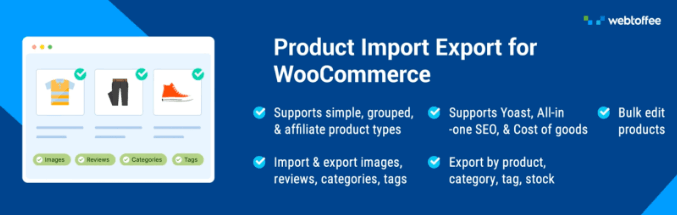
The WooCommerce product import export plugin is useful for stores that manage a large number of products. It allows store owners to import and export WooCommerce products using CSV or XML files. This can save a lot of time when adding new products, updating existing product details, migrating store data, or managing product catalogs in bulk.
The plugin is especially helpful for stores that frequently update prices, stock details, descriptions, images, or product variations, and it offers a wide range of tools to make this process accurate and efficient. It supports multiple file formats, including CSV, XML, Excel, and TSV, and can also import products directly from a Google Sheet URL. It works with all major WooCommerce product types, including simple, variable, grouped, external/affiliate, and subscription products, along with their attributes, categories, images, and custom fields. For bulk editing, products can be exported, edited in a spreadsheet, and re-imported, with the plugin matching each row to an existing product by SKU or ID so only changed fields are updated and nothing gets duplicated or overwritten. Advanced export filters allow stores to narrow exports by category, tag, SKU, price, stock status, product type, created date, and more, making it easy to generate targeted files for reporting, restocking, or migration. A free version of the Product Import Export plugin is also available on WordPress.org, letting stores import and export simple, grouped, and external/affiliate products via CSV at no cost before upgrading to the pro version for variable and subscription product support, advanced field mapping, and scheduled FTP syncs.

Tidio is a live chat and chatbot plugin that helps WooCommerce stores communicate with customers in real time. It can be used to answer product questions, support customers during checkout, and recover possible lost sales. For store owners, this can reduce support delays and improve the customer experience.
The chatbot feature can also automate basic customer support tasks. It can answer frequently asked questions, collect leads, and guide customers to the right products. This makes Tidio useful for stores that want better customer support without having to manually answer every question.
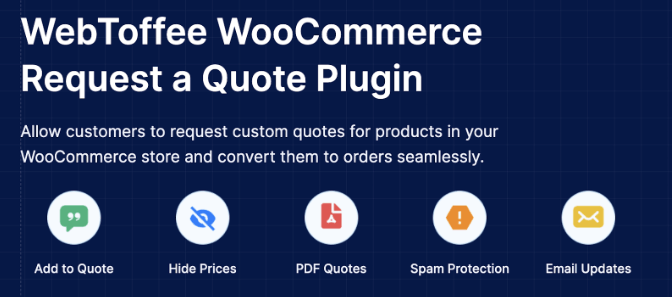
WooCommerce Request a Quote is useful for stores that do not always want customers to purchase products directly at fixed prices. It allows store owners to replace the Add to Cart button with a Request a Quote button, hide prices, and let customers submit quote requests. This is especially helpful for B2B stores, wholesale sellers, custom product stores, and businesses that offer price negotiation.
The plugin also helps manage the entire quotation workflow from a centralized dashboard. Store owners can review, negotiate, approve, or reject quotes, set expiry dates, and convert approved quotes into WooCommerce orders in a few clicks, moving from inquiry to purchase without manual follow-ups. Each quote request comes with full details, including the products, pricing, customer information, expiry dates, and related quote history, so if a customer resubmits a declined quote, the admin can see the full trail. Beyond just managing requests, the plugin gives fine-grained control over how quotes work across the store: owners can choose exactly which products, categories, or tags display the Request a Quote button (and exclude the ones meant for direct purchase), restrict the quote option to specific user roles or logged-in customers, and pick which payment methods are available for quote orders.
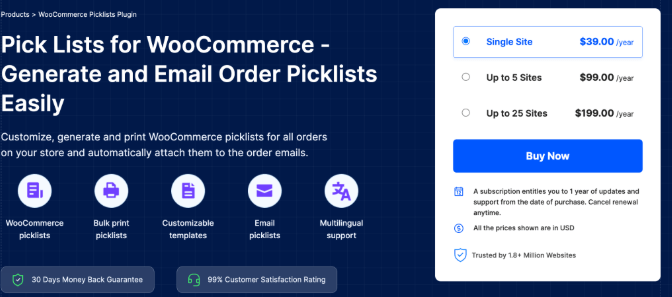
WooCommerce Picklists helps store owners simplify the order picking process. It allows store admins to generate and print picklists for WooCommerce orders, making it easier for warehouse or fulfillment teams to collect the correct products before packing. This is especially useful for stores that process multiple orders every day and want to reduce picking errors.
A proper picklist system improves backend efficiency by allowing staff to clearly see which products need to be picked for each order, and the plugin offers several tools to make this smoother. Picklists can be generated automatically based on a preferred order status, and the plugin can attach the picklist PDF to the corresponding order email whenever an order moves to a chosen status, so fulfillment teams get the right picking document instantly. Admins can download or print a picklist from an individual order’s edit page, or bulk print picklists for multiple orders at once directly from the WooCommerce Orders page. The layout is fully customizable through built-in templates, available in either a visual or code editor, letting store owners enable, disable, or tweak elements like the company logo, from address, product table, and footer, and save those layouts as reusable templates.
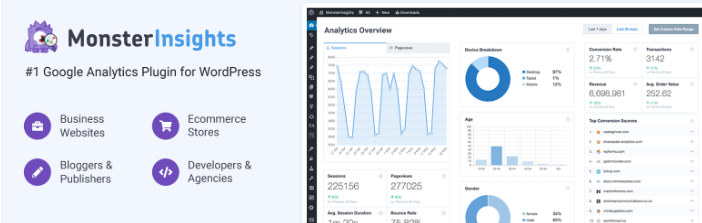
MonsterInsights helps store owners connect Google Analytics with WordPress and track store performance more easily. It provides reports inside the WordPress dashboard, making it easier to understand traffic, conversions, top products, and customer behavior. This is useful for making better marketing and product decisions.
For WooCommerce stores, analytics is important because it shows what is working and what needs improvement. Store owners can identify high-performing products, popular traffic sources, and weak points in the sales process. MonsterInsights is suitable for stores that want simple, clear reporting without having to check Google Analytics manually every time.
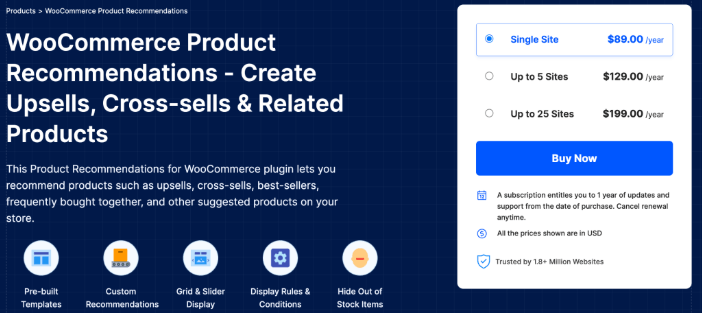
WebToffee WooCommerce upsell plugin helps store owners show relevant product suggestions to customers. It can be used to display related, recommended, and campaign-based product suggestions. This helps improve product discovery and encourages customers to explore more items while shopping.
Product recommendations help increase average order value and improve the customer shopping experience. Instead of manually promoting products everywhere, store owners can use recommendation rules to show suitable products based on different conditions. For WooCommerce stores focused on increasing sales and improving merchandising, this plugin can be a helpful addition. It comes with ready-to-use templates for popular campaigns such as related products, bestsellers, top-rated products, frequently bought together, new arrivals, and recently viewed, and it lets store owners display these recommendations across multiple pages, including the shop, category, product, cart, checkout, and order-received pages. Recommendations can be displayed in a grid or slider layout, with advanced filters by category, price, stock status, or user role, and out-of-stock items can be automatically hidden to keep the display focused on available products.
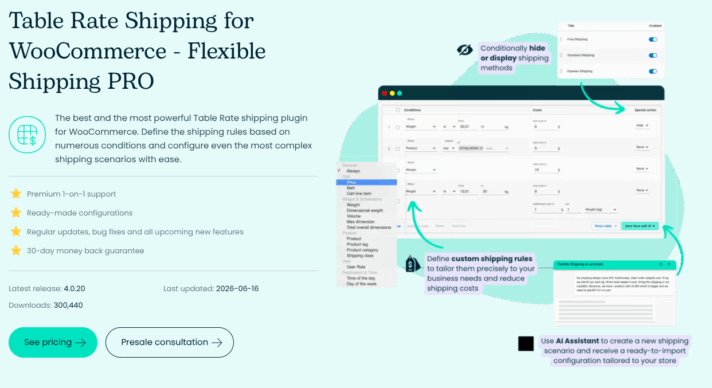
Flexible Shipping PRO for WooCommerce is a useful plugin for stores that want to manage complex shipping scenarios and calculate delivery costs accurately using table rates. It helps store owners automatically define advanced shipping configurations using numerous conditions, such as package weight, cart totals, item quantity, and product dimensions. The plugin is especially useful for businesses that deal with unique shipping requirements, ensuring that customers are charged accurate rates at checkout while protecting the store’s profit margins.
Another major benefit of this plugin is its built-in AI Shipping Assistant, which lets store owners instantly generate ready-to-use shipping tables from a single text description. It also supports strategic marketing rules, such as a visual “left to free shipping” progress bar that encourages customers to add more items to their carts to unlock free delivery and boost the store’s average order value. Additionally, store owners can utilize the plugin’s advanced Debug Mode to troubleshoot rule calculations effortlessly.
A free version of the Flexible Shipping plugin is also available, letting stores configure basic weight- and price-based shipping rules at no cost before upgrading to the PRO version for advanced logic and AI automation features.
Managing a WooCommerce store becomes much easier when the right plugins are used for the right tasks. From invoices and order numbers to payments, analytics, compliance, shipping documents, coupons, and customer communication, each plugin plays an important role in improving daily store operations. These tools help reduce manual work, improve accuracy, save time, and create a smoother experience for both store owners and customers.
As an online store grows, having a well-planned plugin setup becomes even more important. The right combination of plugins can help store owners automate repetitive tasks, manage data more efficiently, improve customer engagement, and support long-term business growth. By choosing plugins tailored to their store’s needs, WooCommerce store owners can build a more organized, scalable, and professional eCommerce website.





Learn how Octolize helped Kurzgesagt, the online shop behind one of YouTube’s most popular science channels, set up conditional courier rules using the Shopify Shipping Rates Rules & Zones app.

Learn how Octolize solutions helped WooCommerce store based in the United Kingdom set up shipping scenarios.
Learn how Octolize helped Shopify store based in the USA set up distance based rates with a usage of Octolize Distance Based Rates.
 Pickup Points