
- Home
- WooCommerce
- What plugin are you looking for?
- Shopify
- About us
- Blog
- Docs
- Contact us
- What can we help you with?
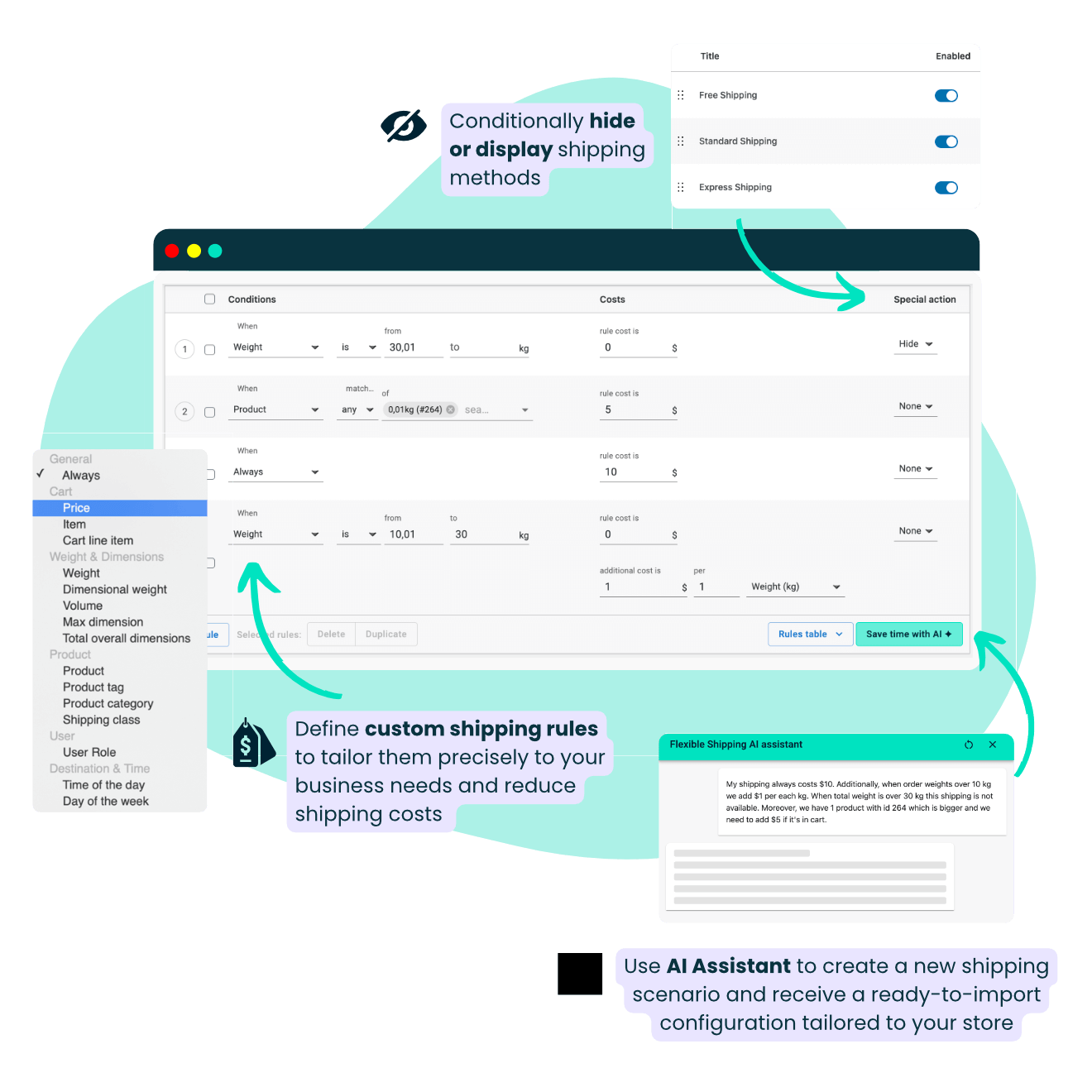


Calculate shipping cost by price, weight, quantity, size, shipping classes, date and time, product categories, user role, and more!

Configure your shipping faster with the help of AI. Describe your scenario and let the assistant generate ready-to-use shipping rules for you.

Charge your customers with extra fixed or percentage shipping cost and determine the unit according to which it should be added.

Offer free shipping and display a left-for-free-shipping notice. Choose if the free shipping should be also triggered by coupons.

Experience our epic tech support, let us back you up and help you with sorting out every issue you encounter.

Conditionally hide or display shipping methods. Decide when they should be available to pick and when not.
With Flexible Shipping PRO, you have the power to tailor shipping rules precisely to your business needs. Whether it's based on weight, price, quantity, products, or size, you can ensure accurate and transparent shipping cost calculations for your customers.
Tired of spending hours setting up complex shipping rules in WooCommerce? Let AI do it for you.
The new AI Shipping Assistant in Flexible Shipping PRO instantly generates ready-to-use shipping configurations — based on just one prompt.
Weight-based rules, courier conditions, surcharges, free shipping thresholds, tiered pricing – all done in seconds. No trial and error, no frustration.
This is the first and only table rate shipping plugin on the market with built-in AI, designed to save you hours of manual setup and eliminate the guesswork behind complex logic.
Whether you run a small store or manage advanced logistics – our AI Assistant helps you configure exactly what you need, effortlessly.
Watch our new video about this game-changer feature:
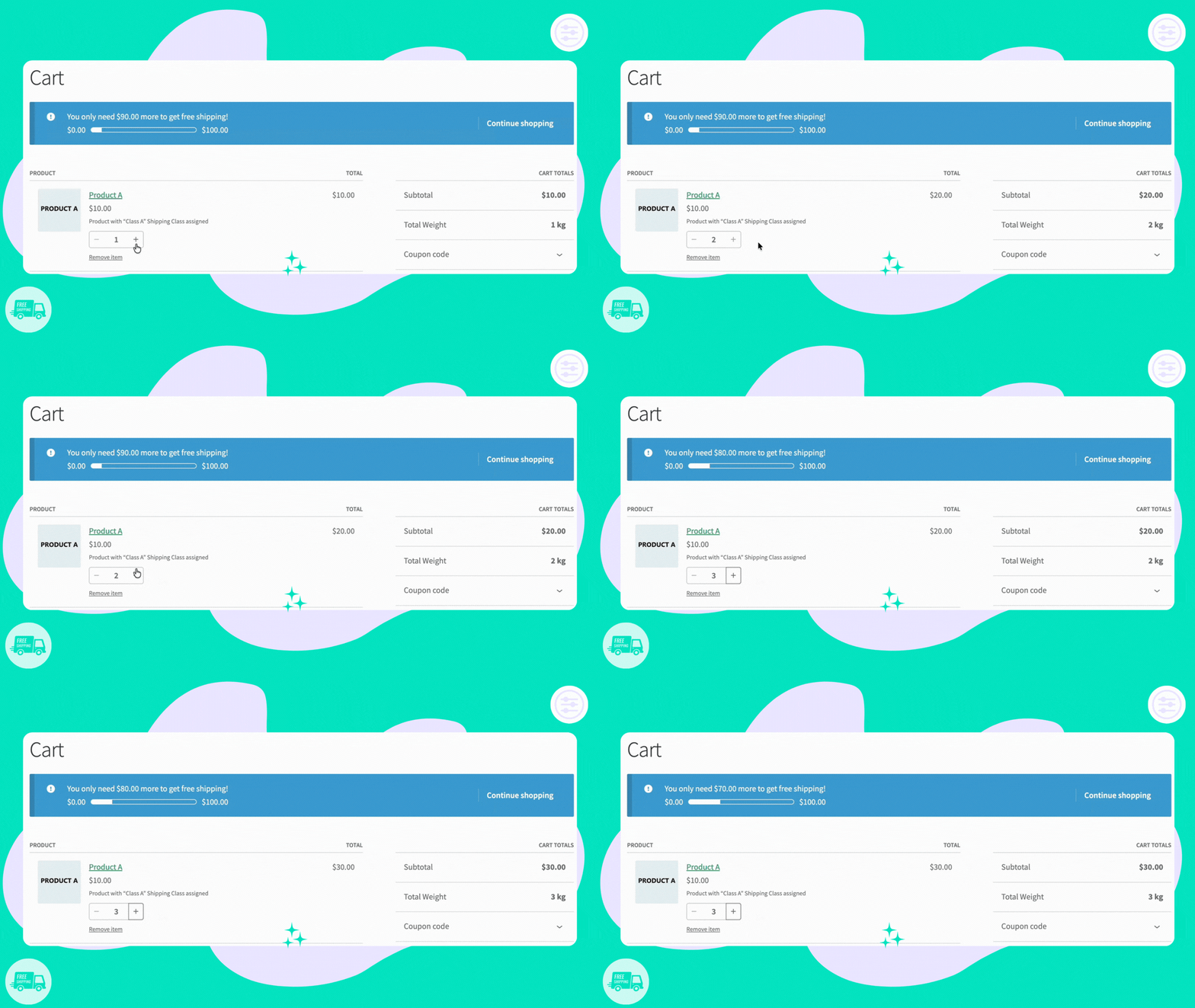
Stop giving away profit. Turn free shipping into a powerful reward by setting strategic spending thresholds. Flexible Shipping Pro lets you show customers exactly how much more they need to add to their cart to unlock free delivery, turning a small order into a larger sale instantly.
Easily enable the built-in “Left to Free Shipping” notice and visual progress bar to encourage higher spending and keep customers engaged until they reach the reward.
Watch our new video about this feature:
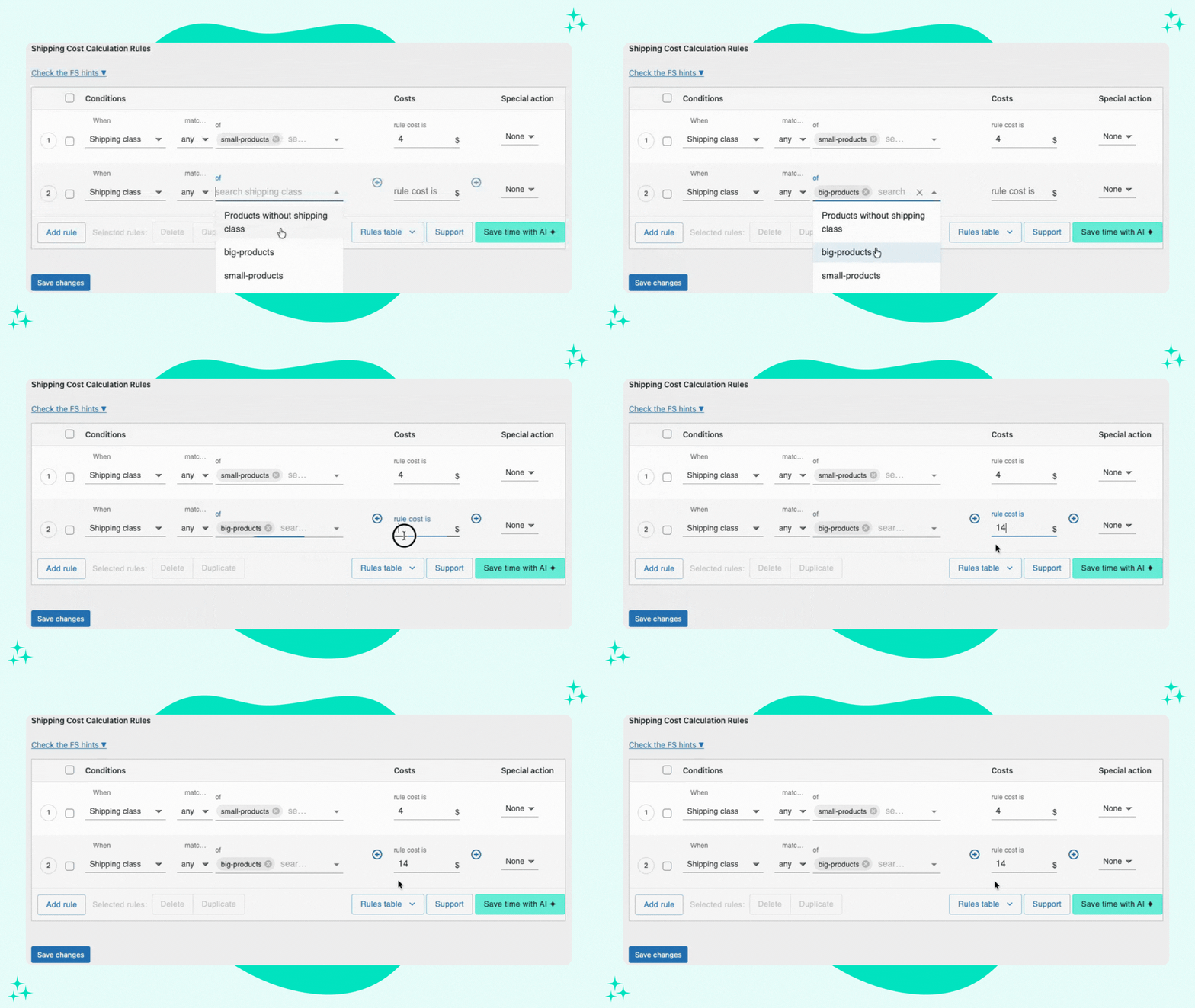
Assign costs to specific groups of products in your store.
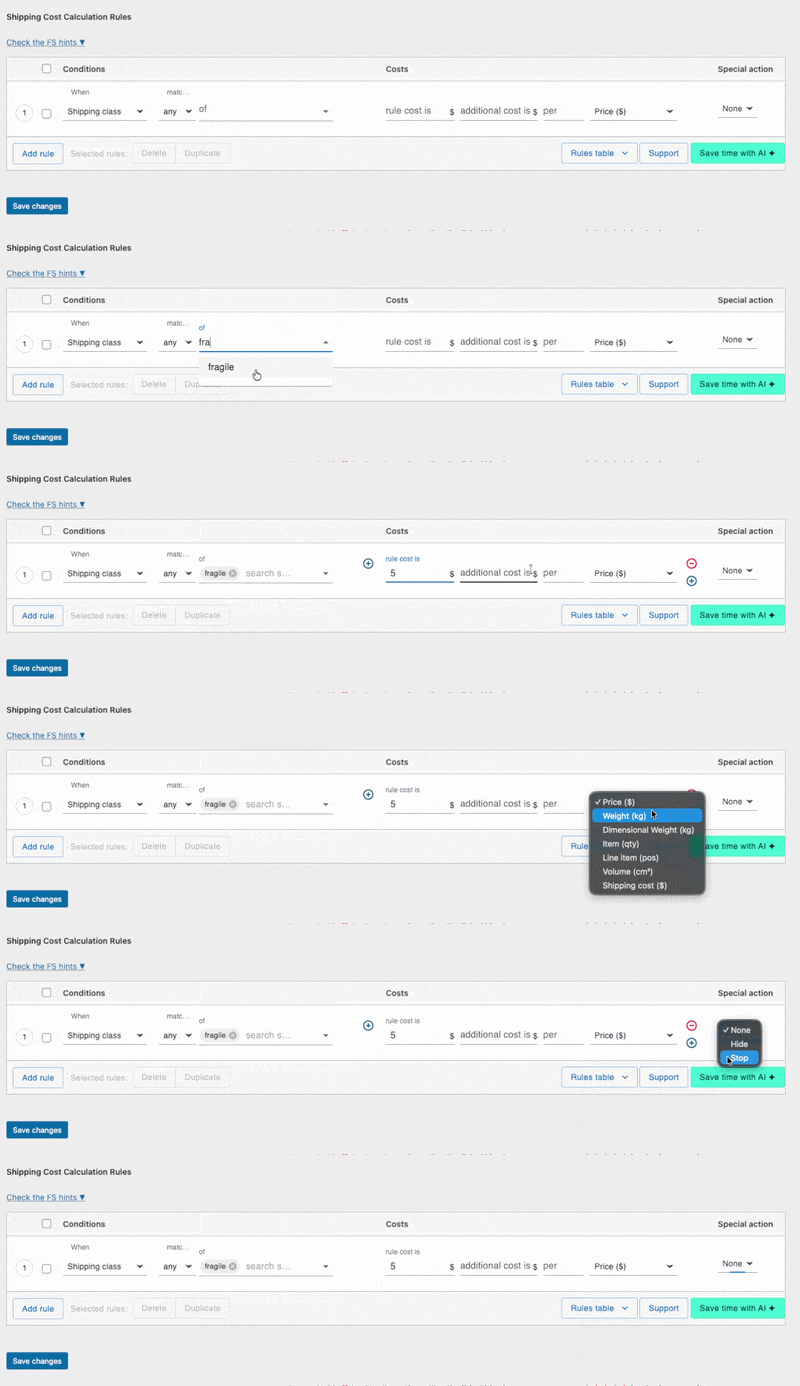
Usage example: You can set different shipping costs for the shipping classes “small products” and “big products”:
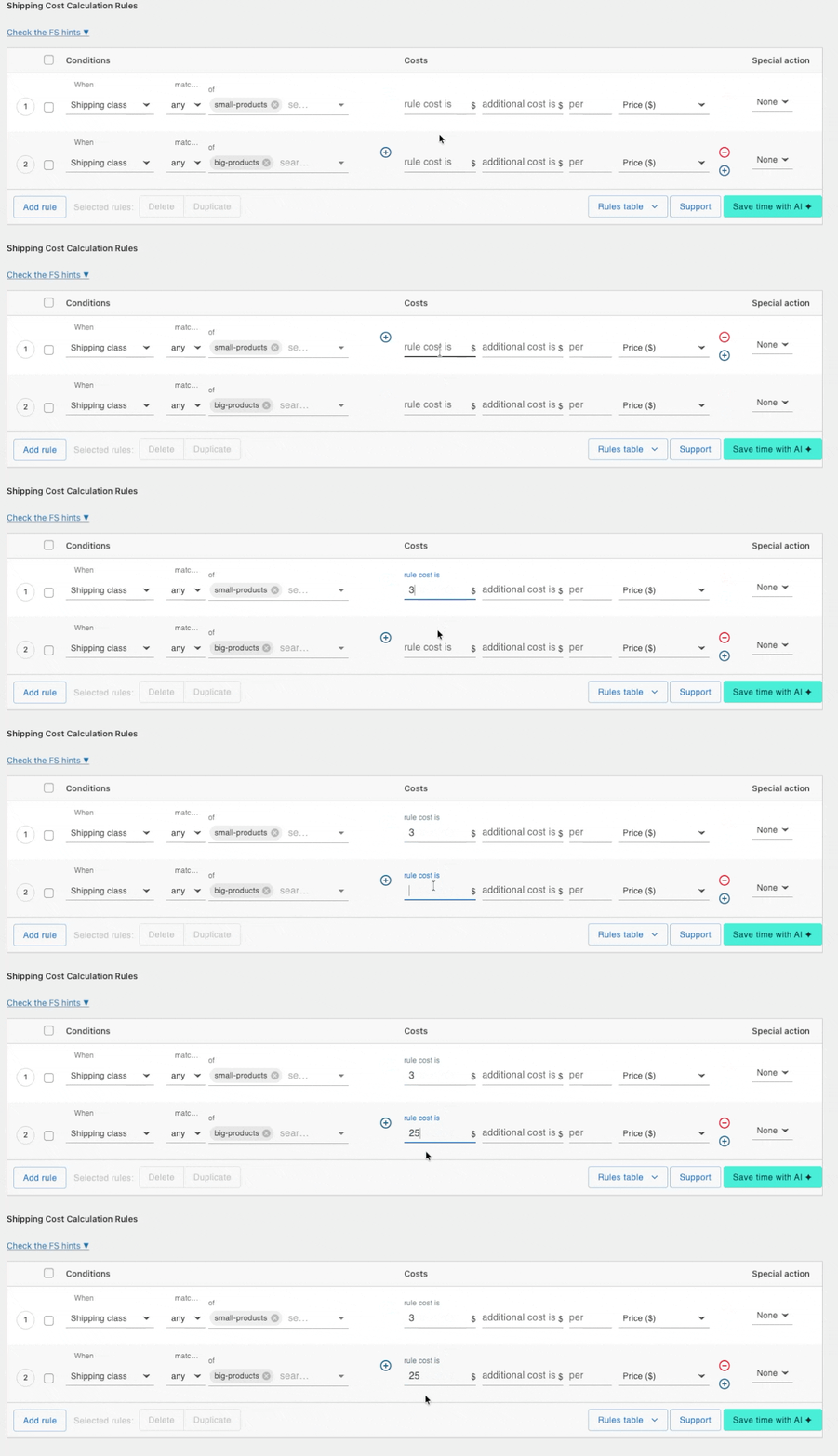
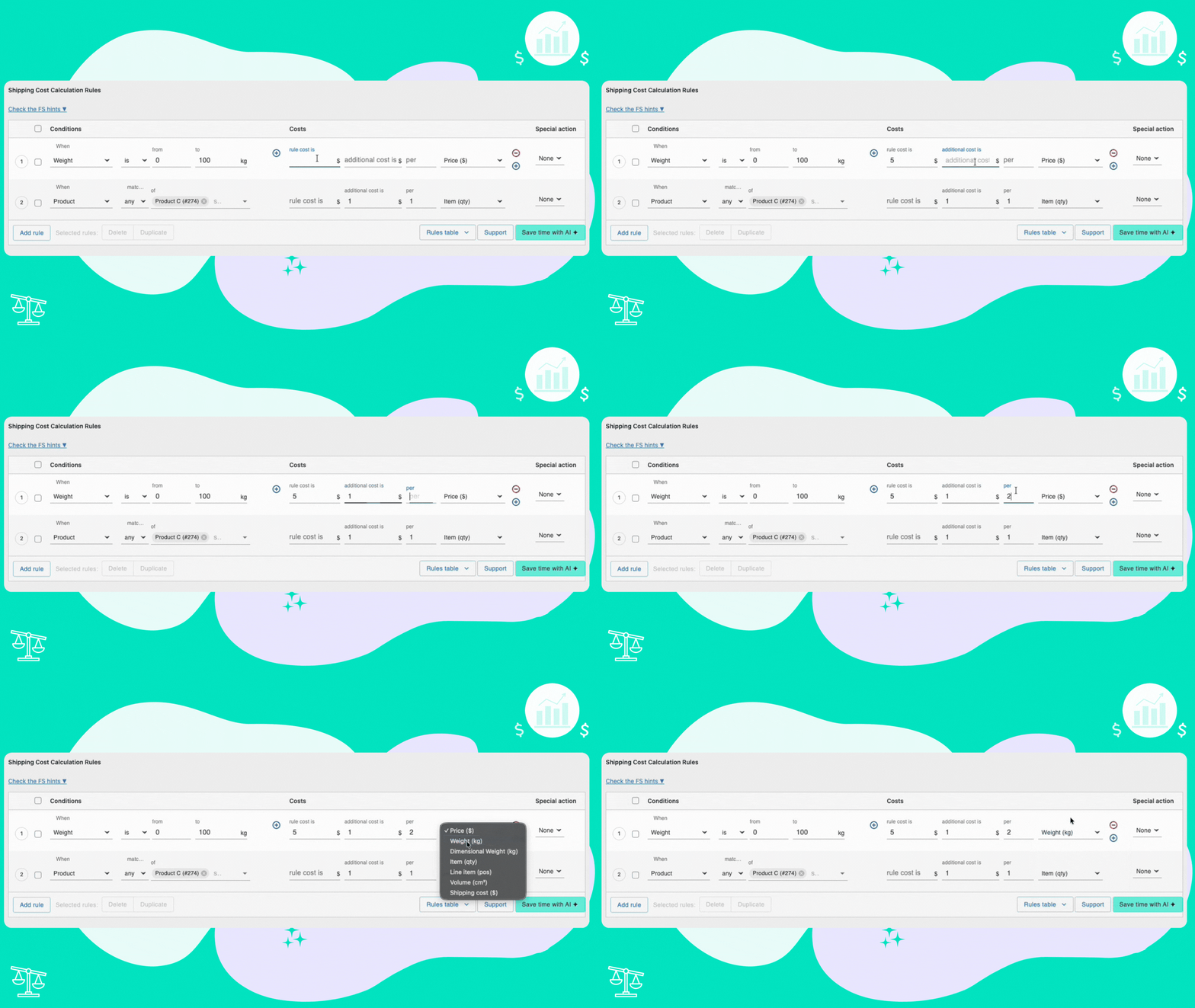
Enter an additional cost and define the unit according to which it should be added.
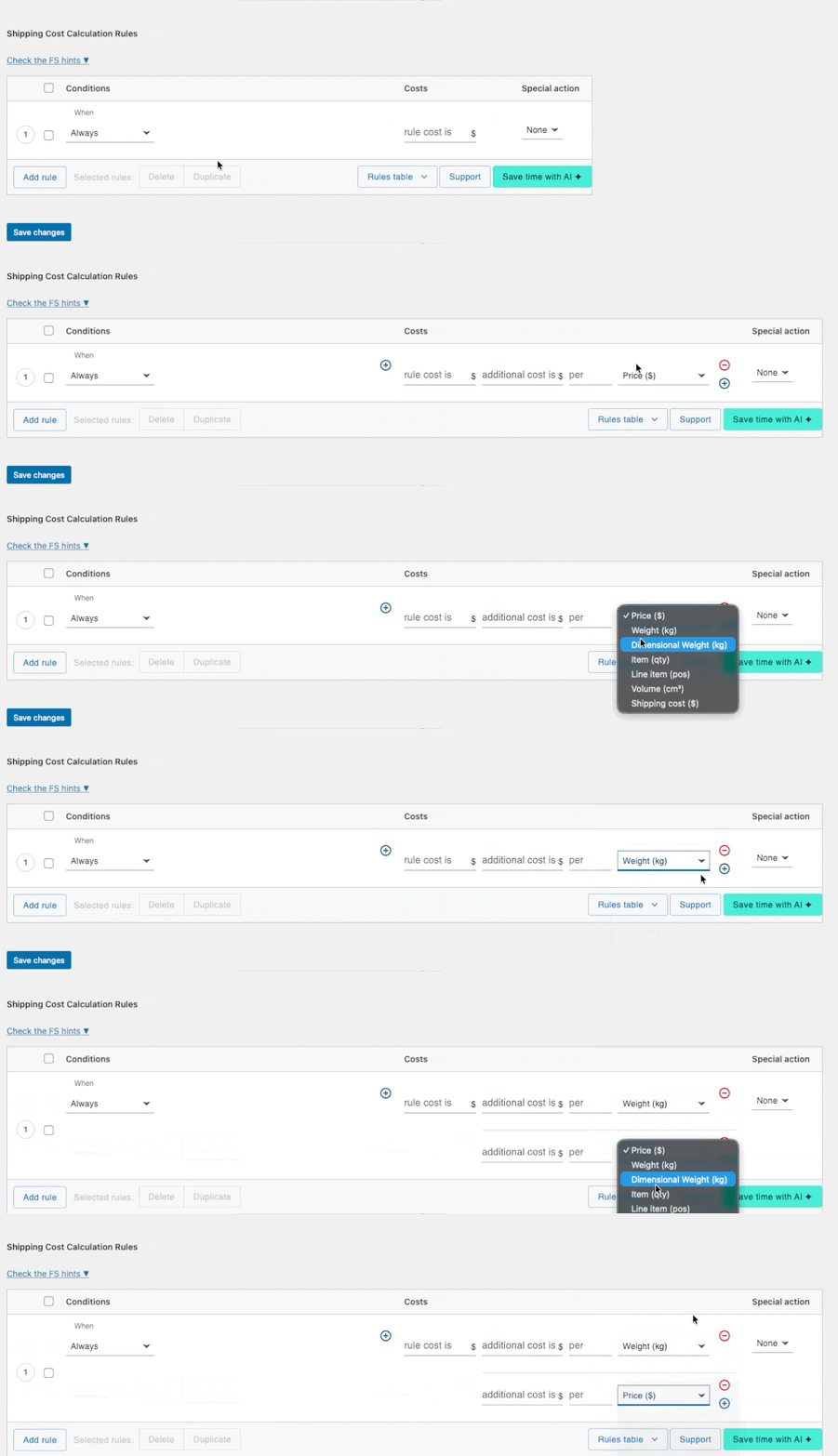
It is possible to extend the range of parameters, for example, with add-on Distance-Based Shipping Rates and use distance and duration parameters:
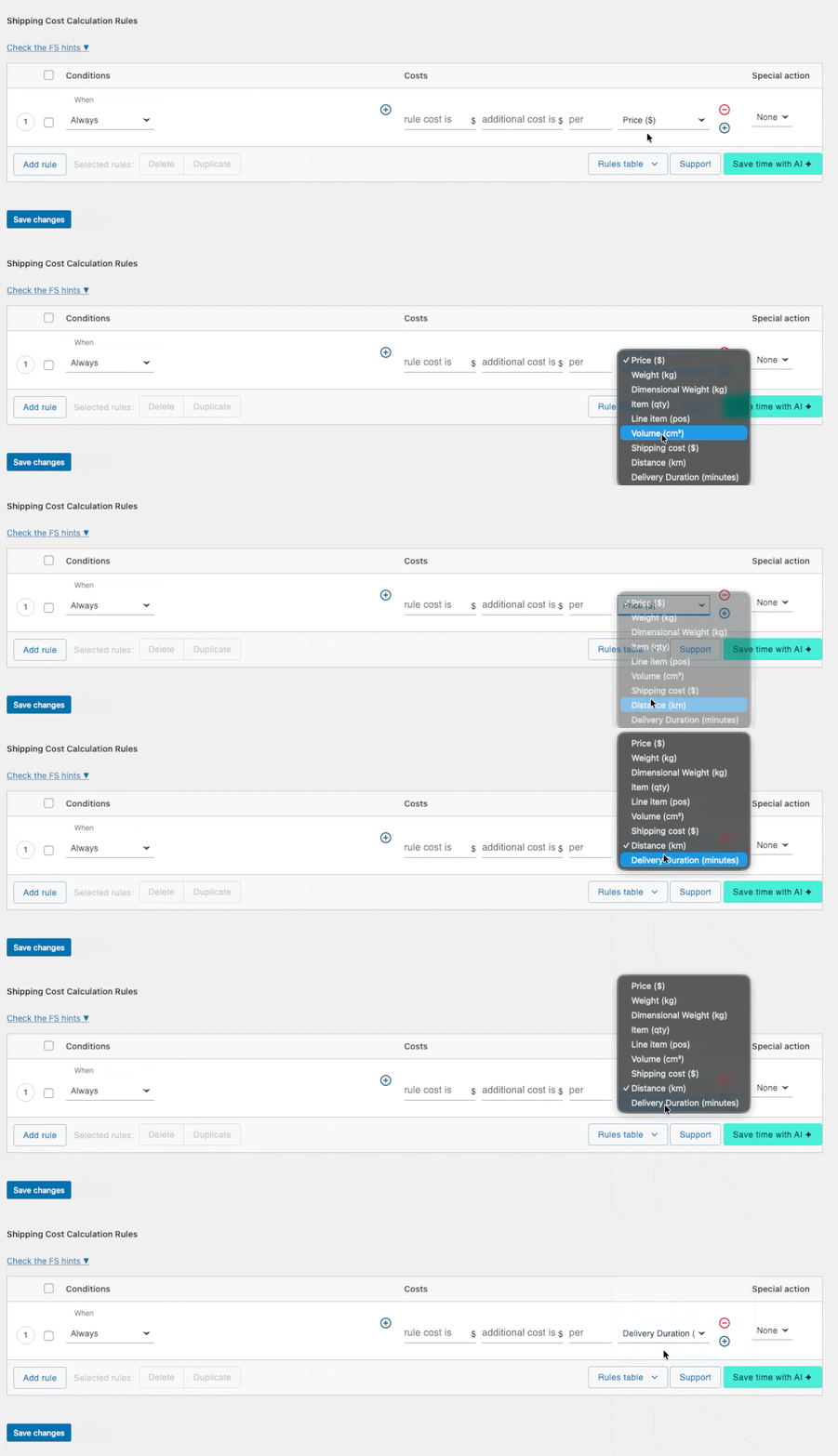
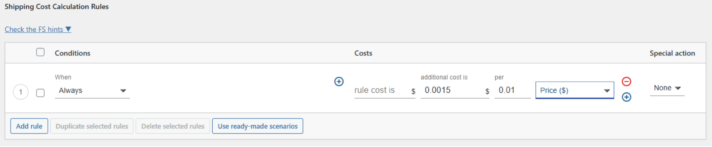
Usage example: You can set the shipping cost based on a % of your customer’s order.
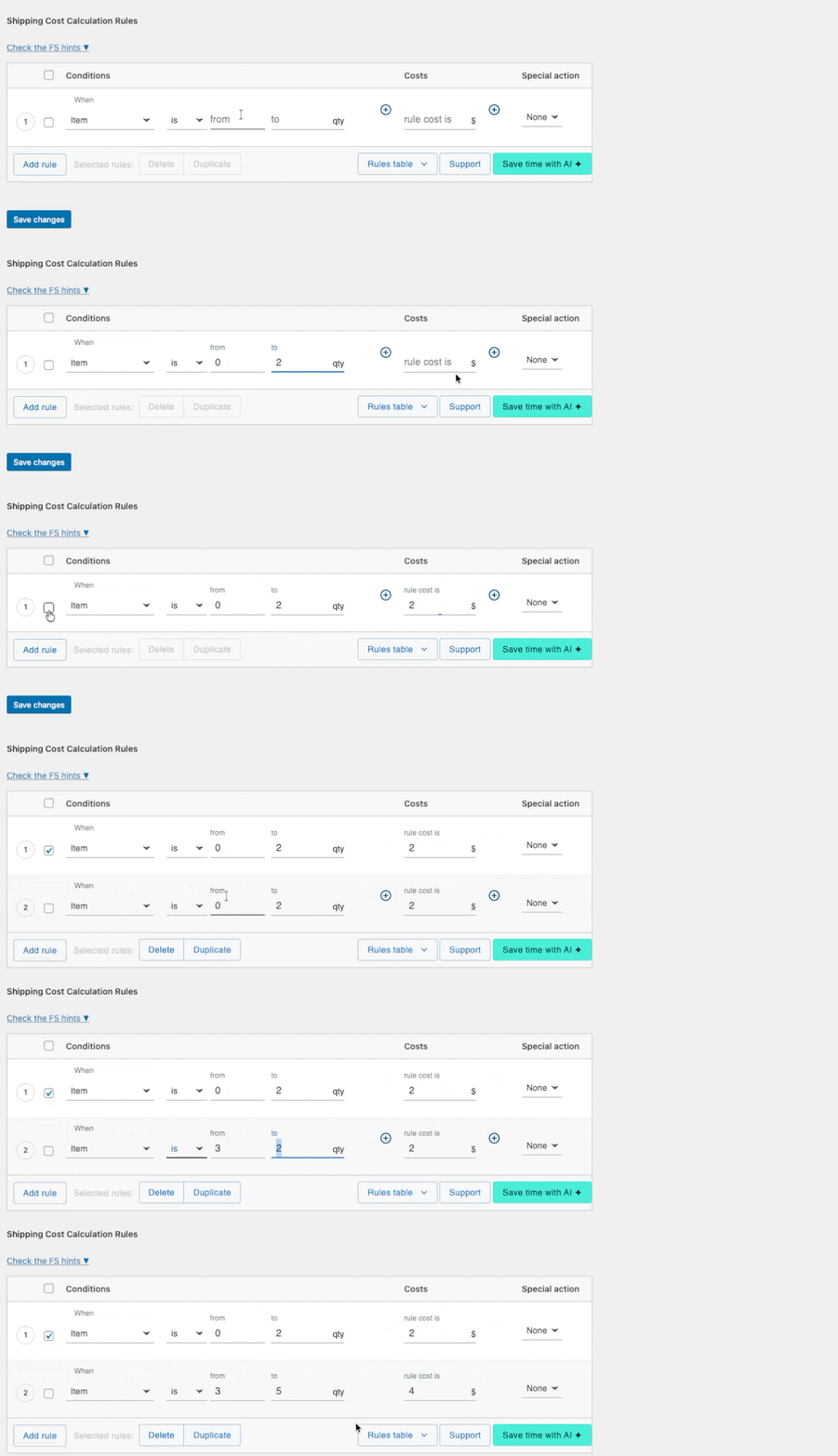
Calculate shipping costs dynamically based on the quantity of products in the cart.
Usage example: You can create a marketing campaign to encourage your customers to add more products to their basket to receive free shipping.
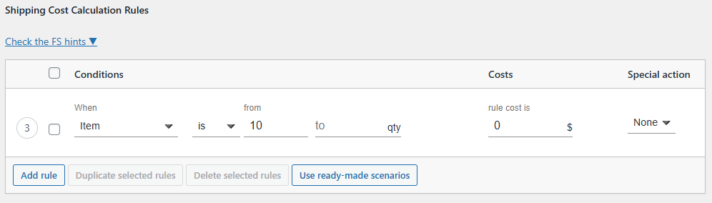
Additionally, you can enable a free shipping progress bar to motivate customers to reach the free shipping threshold.
Calculate shipping cost based on the cart’s total weight in accordance with the weight unit chosen in the WooCommerce settings.
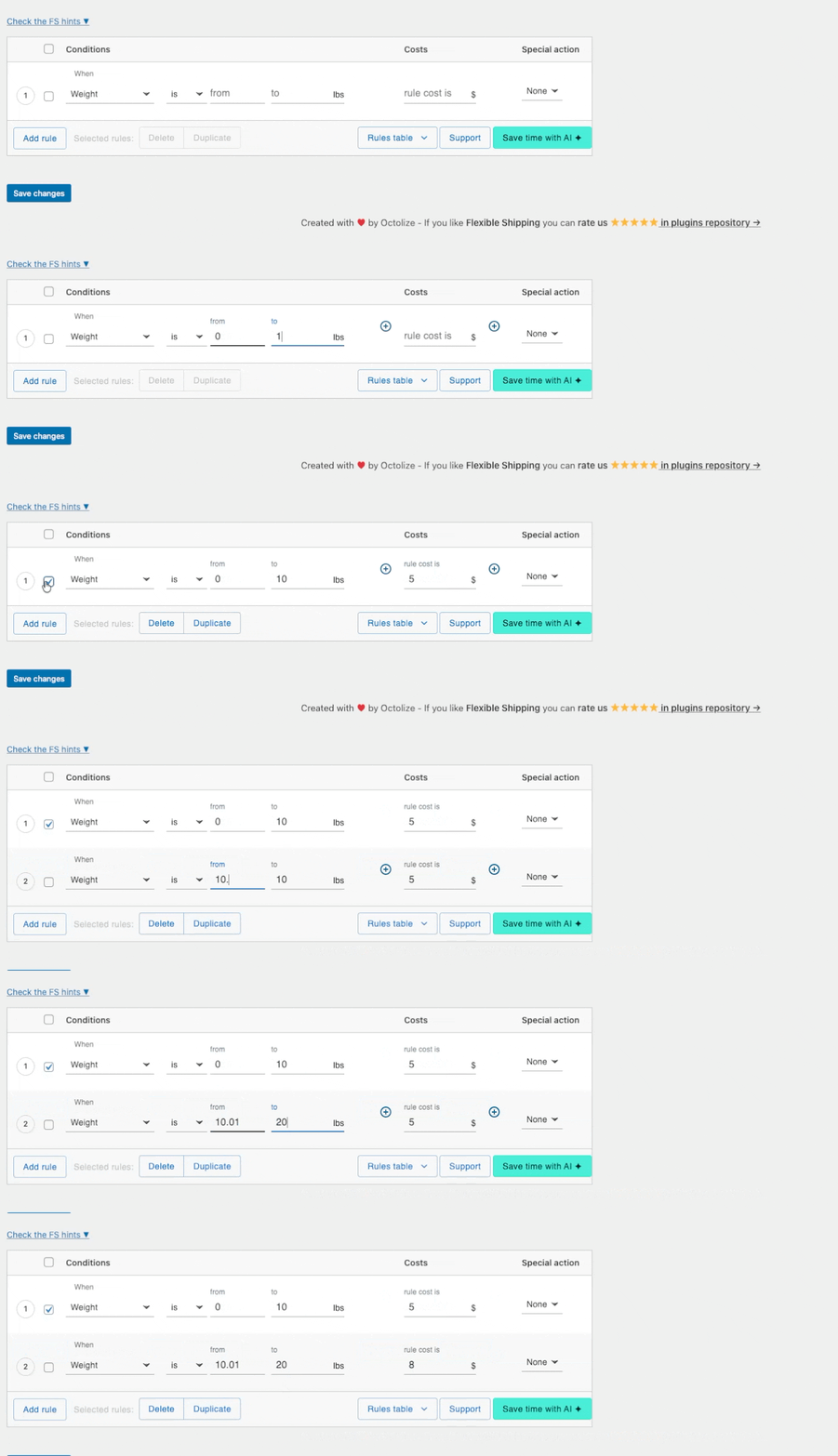
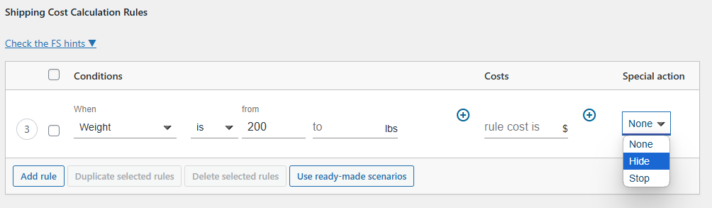
Usage example: In combination with the “Special action” mechanism, you can, for example, exclude a standard shipment and switch to a pallet-packed shipment once a specific weight threshold is exceeded.
Customize shipping costs according to user roles, providing tailored pricing for different customer segments.
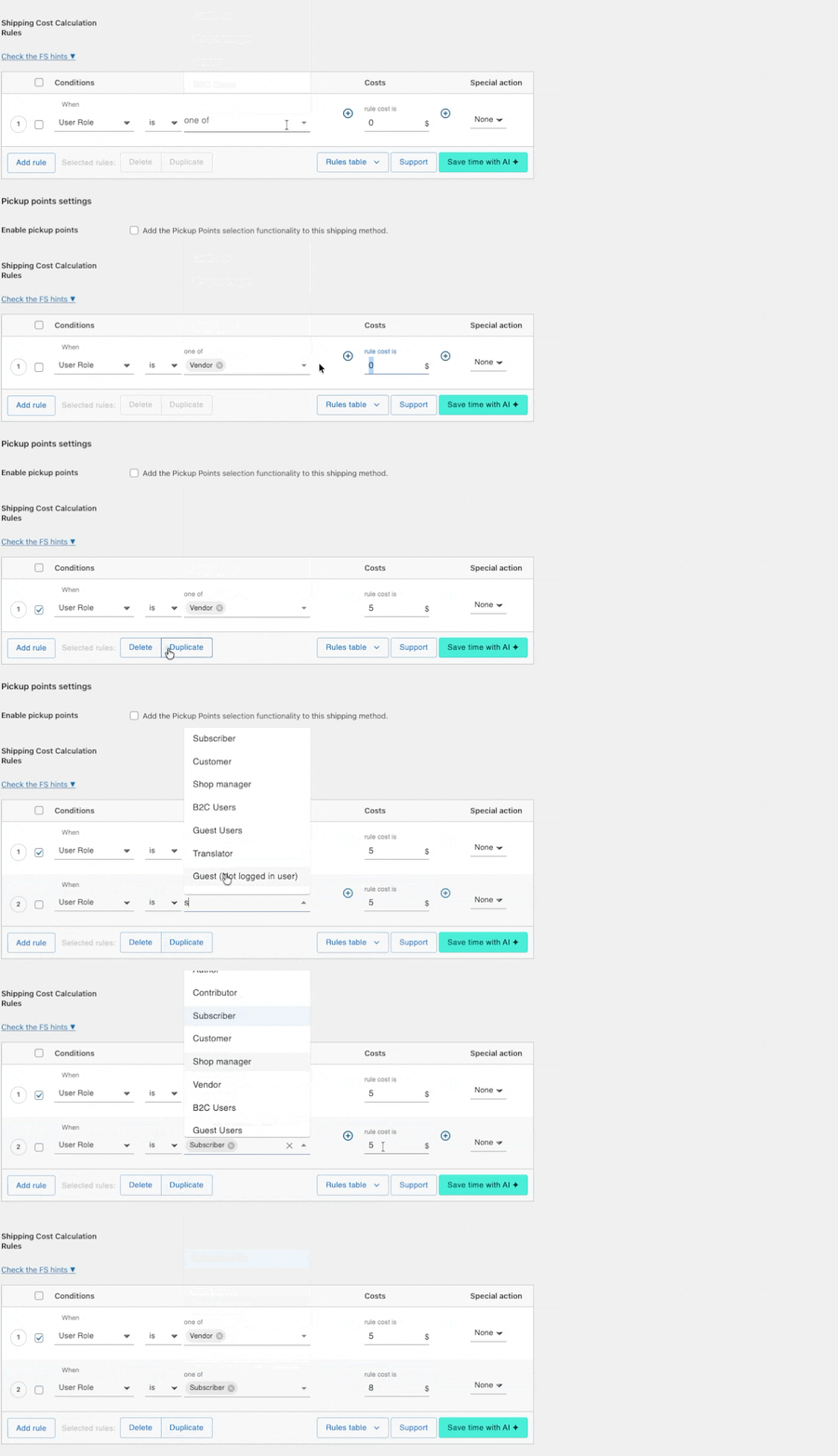
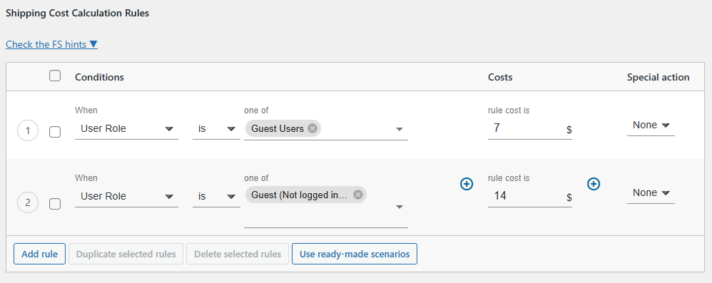
Usage example: You can offer different shipping prices for logged-in and non-logged-in customers.
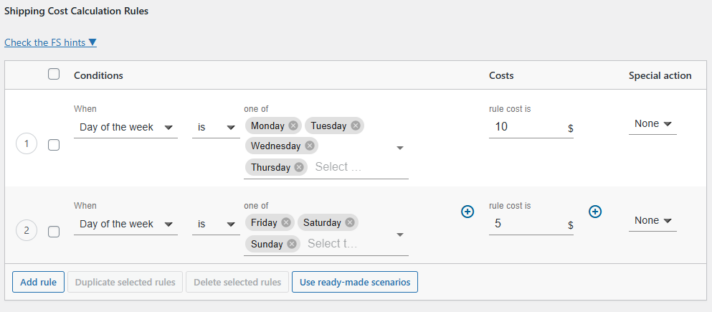
Manage shipping methods dynamically based on the time of day and day of the week.
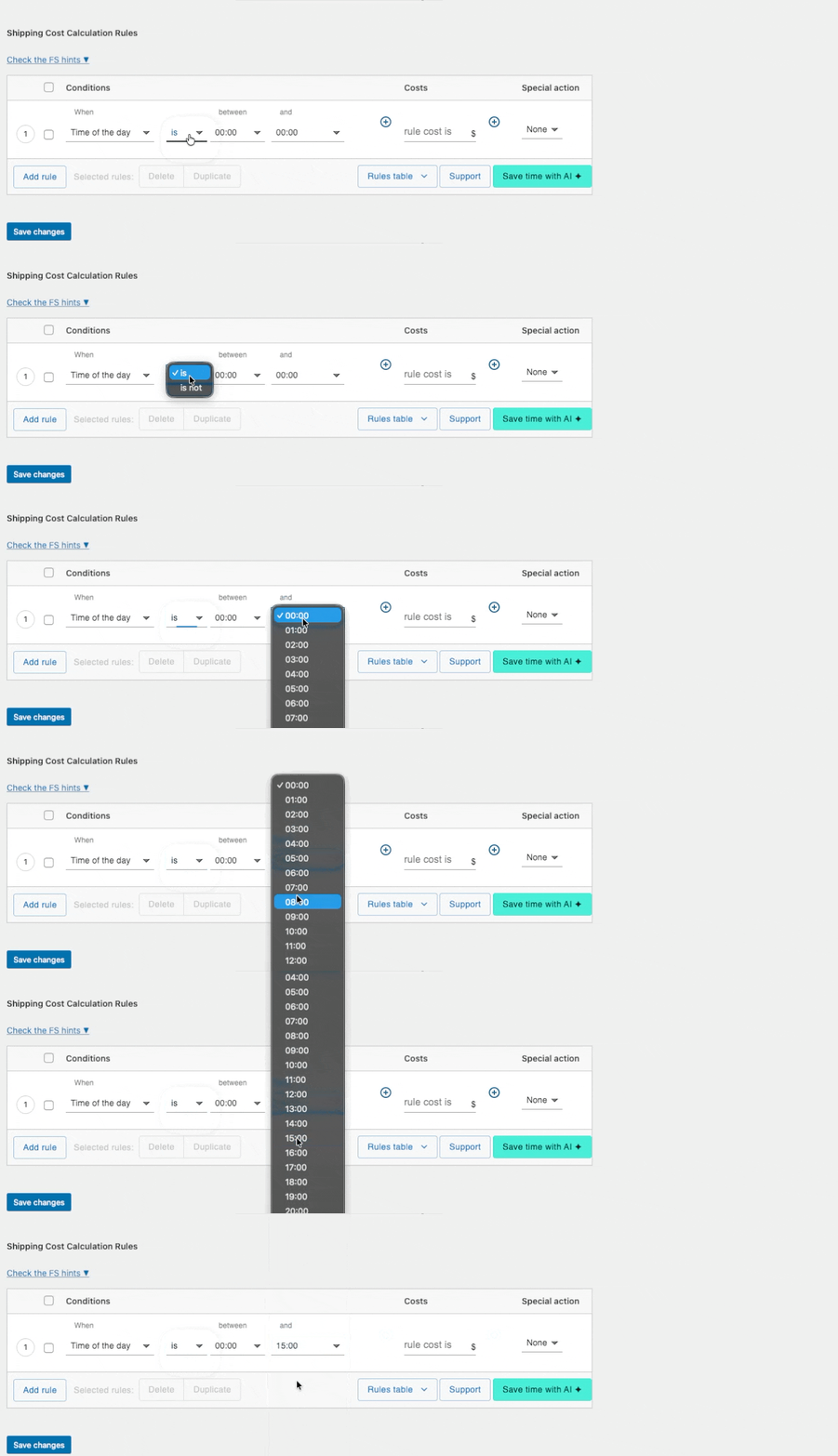
Usage example: You can offer different prices for shipping during the week and different prices for shipping over the weekend.
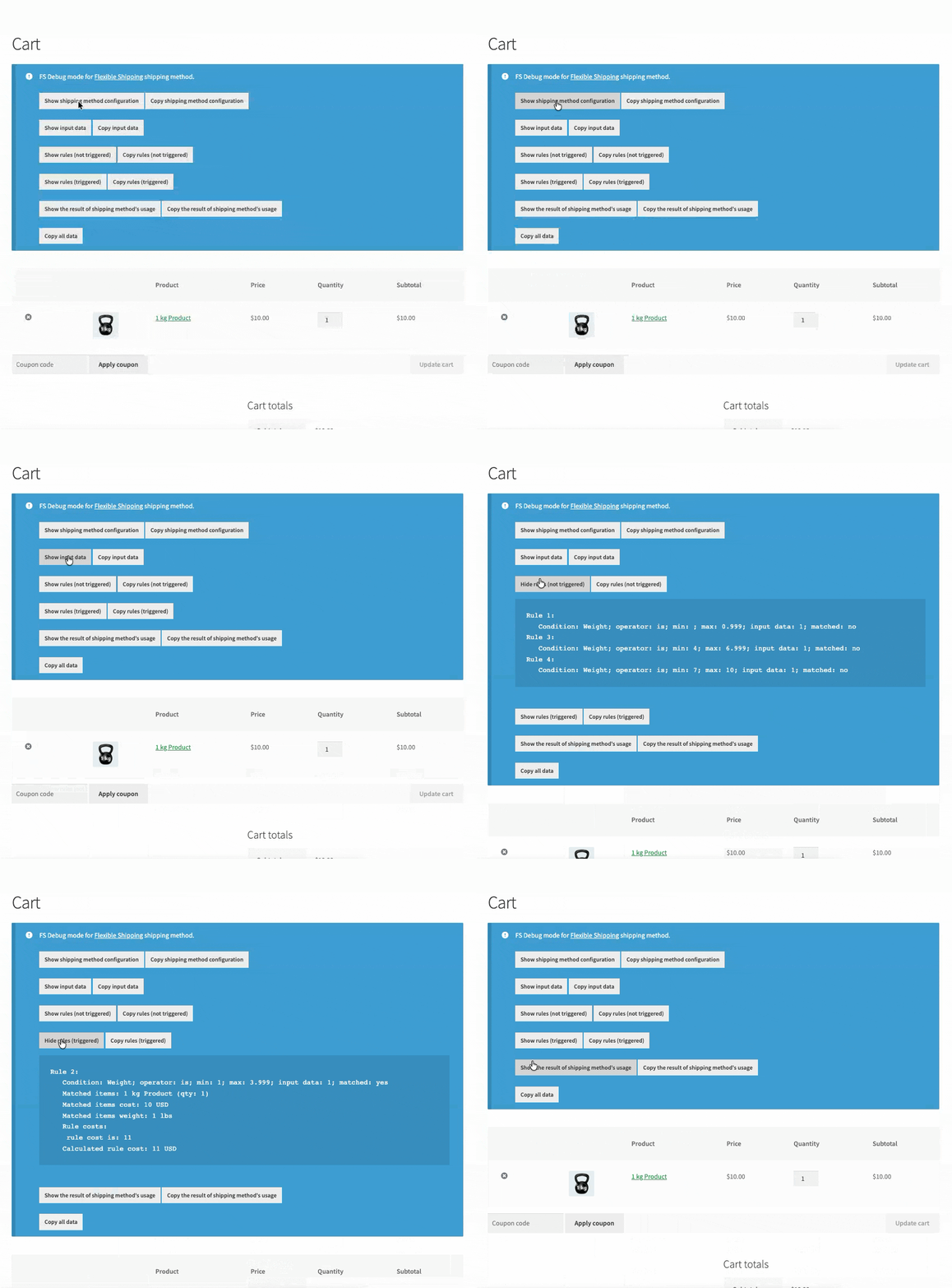
Every Octolize plugin is equipped with powerful tools that make managing your shipping settings effortless.

With Debug Mode, you can view the exact parameters, rules, and calculations triggered. This invaluable feature drastically cuts down on troubleshooting time, removing the guesswork from diagnosing and fine-tuning your shipping configuration.
Discover the specific shipping scenarios you can solve with the Flexible Shipping PRO plugin
With Flexible Shipping PRO, shipping rates don’t have to be universal for all products. Decide how much to charge for the shipping of items based on their weight and dimensions, cart total, user role, shipping class, and more.
Custom WooCommerce settings only allow you to configure free shipping above a certain cart total or with a discount code. With Flexible Shipping PRO, you can apply the free shipping rule to products or categories of your choice and display a “left to free shipping” bar.
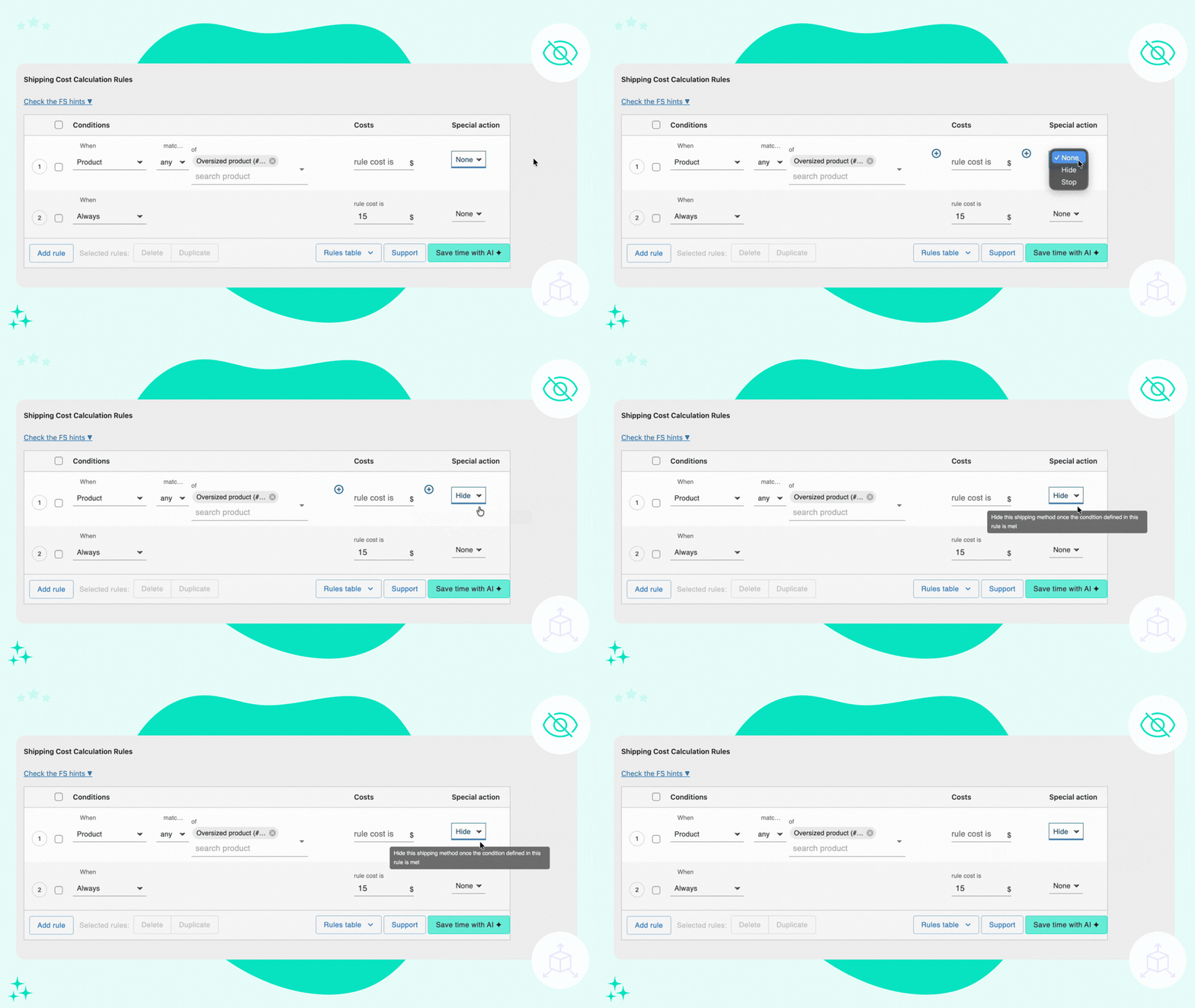
Only display methods available to your customers in a given scenario. Hide individual or all shipping options, for example, for oversized or overweight items.
Let the shipping rates grow with the items’ dimensions and weight. Flexible Shipping PRO lets you configure pricing that automatically increases based on pre-defined conditions.

Thanks to rules by product/category/tag and shipping class, you can configure different rates for a variety of products.

Target rates by user role, item count, cart line items, and value, then cap totals with a maximum shipping cost or pick the lowest/highest cost calculation for simplified quotes.

Most shops combine carrier live quotes with table‑rate adjustments. Flexible Shipping PRO works seamlessly with our Live Rates integrations, granting full control over complex scenarios.

Stores where the shipping rates are dictated by weight and/or dimensions can benefit from the weight, dimensional weight, volume, max dimension, and total overall dimensions conditions.

The built-in AI Assistant lets you describe a specific scenario and generates a ready‑to‑use rules table, saving you time and minimizing the risk of errors that comes with frequent changes and/or updates.

Extend the basic WooCommerce functionalities for free shipping by tying it to various conditions: weight, item, shipping class, and more. Encourage customers to buy more by displaying a free shipping progress bar.




Extend Flexible Shipping with custom locations and create shipping costs based on weight, order totals or item count.

Configure shipping costs accurately based on the delivery distance and time.

Fit products into your shipping boxes the most optimal way and assign shipping rates to box types.

Add pricing rules based on Product Author (Vendor) for your multivendor store or marketplace.

Easily download, import, move, replace, update, or backup multiple shipping methods in your WooCommerce store.

Decide which products should be shipped together and split the cart into multiple packages.

Display the shipping cost right on the product page based on the shipping address and products in cart.
 Pickup Points